
Query Intelligence — See How AI Converts Prompts into Search Queries
Your prompt is just the starting point. What matters is what AI does with it next.
The Problem
When a user asks ChatGPT or Gemini a question, the AI doesn't just answer from memory. It generates its own search queries behind the scenes, searches the web, and builds its response from the sources it finds. You can see the final answer — but you can't see which queries were generated, which ones were actually executed, or which source pages were pulled.
Query Intelligence makes that invisible process visible.
How It Works
Step 1: Select Your AI Model & Enter Your Prompt
Choose ChatGPT, Gemini, or Perplexity. Then enter a single prompt or select a prompt cluster — either manually or from your saved clusters in the AI Prompt Generator. CiteVista will simulate how that AI model searches the web in response to your prompt.
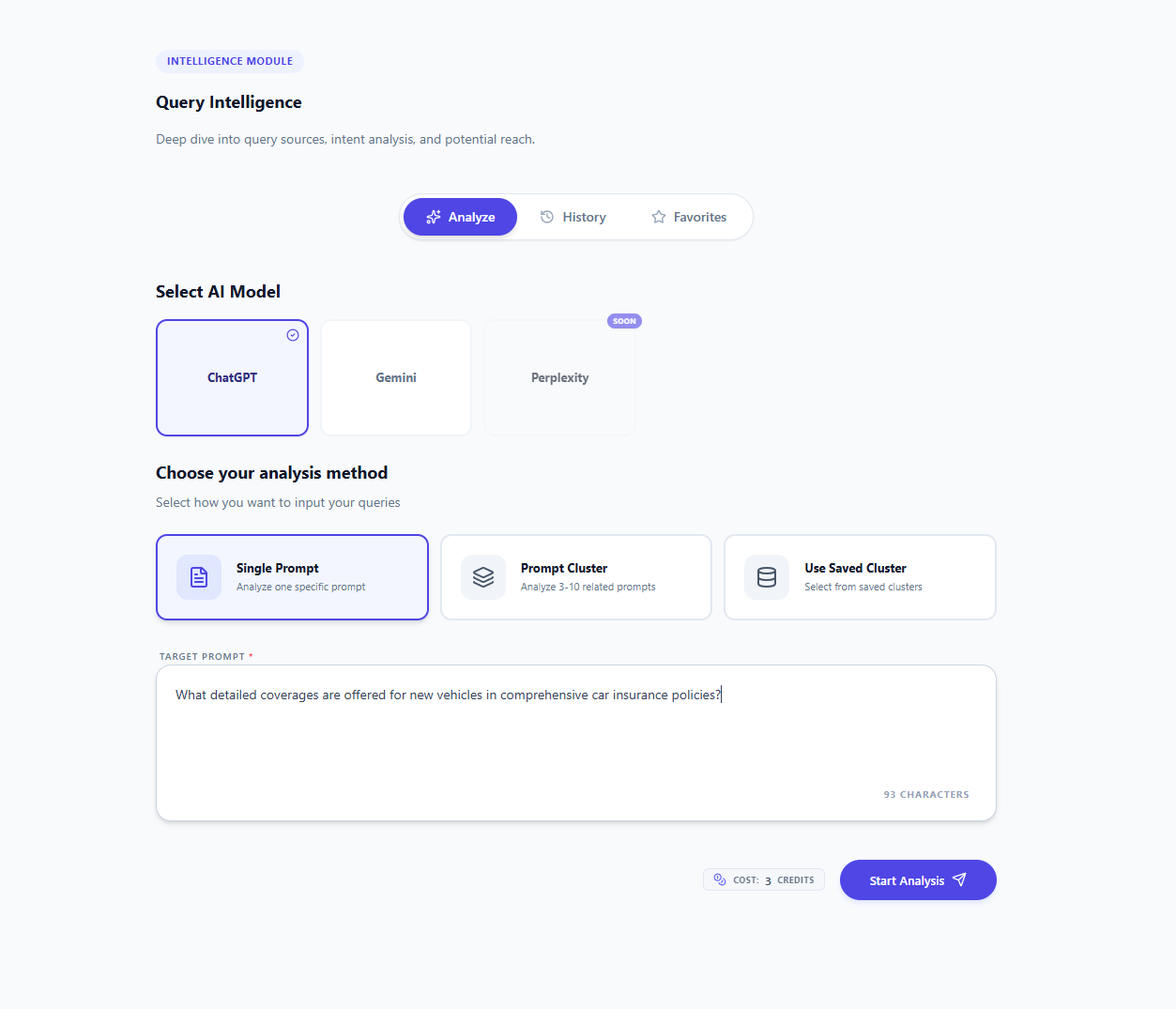 Select your AI model and enter the prompt you want to analyze
Step 2: Get Your Query & Source Analysis
CiteVista runs your prompt multiple times and reveals the full picture of how AI searches for your topic: which search queries the model generates, which ones it actually executes, and which source URLs appear most frequently across all simulations.
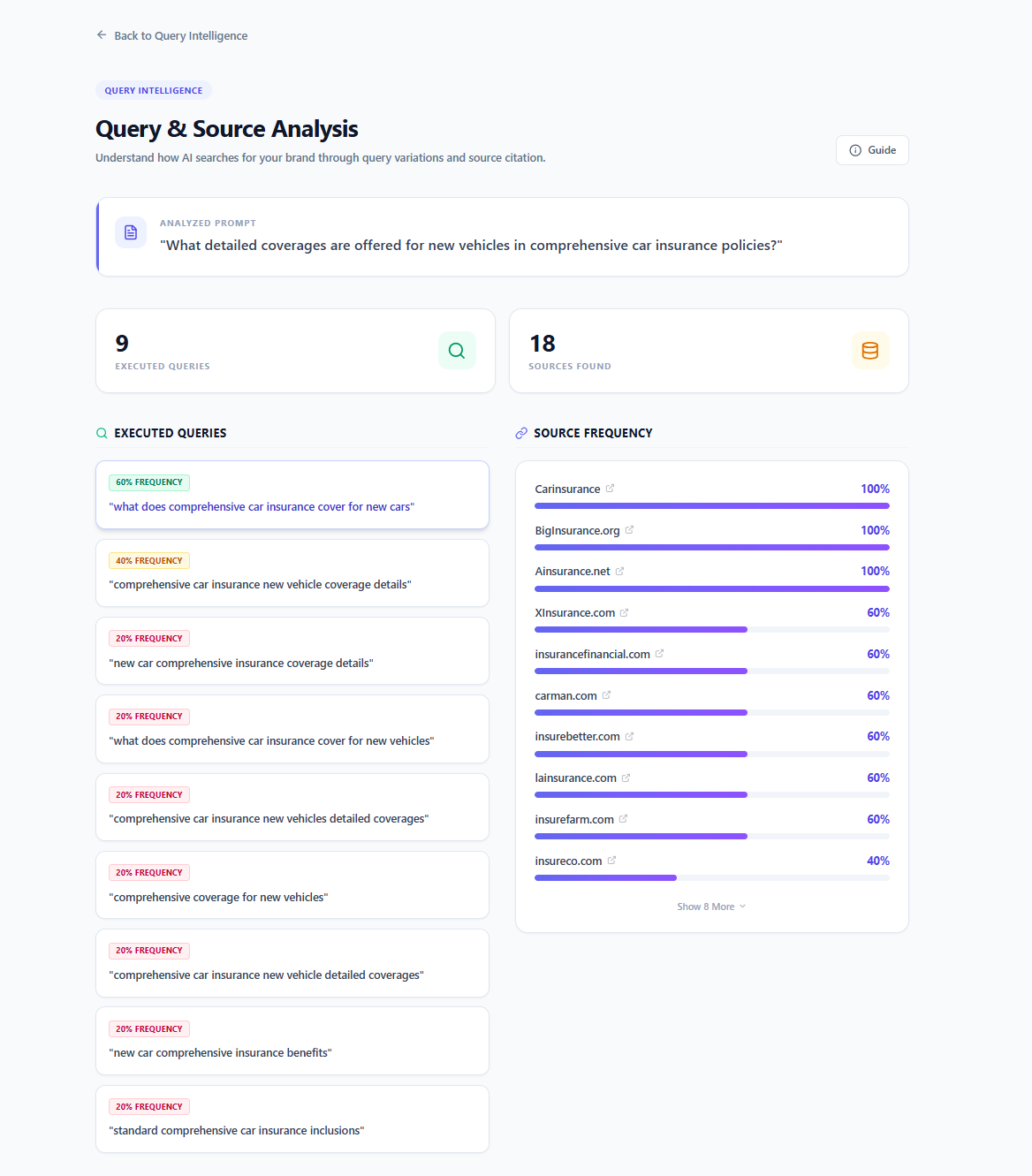 Single prompt result: generated and executed queries with source frequency analysis
Two Analysis Modes
What is Single Prompt analysis in Query Intelligence?
Single Prompt analysis takes one specific question and shows you the full query landscape AI generates around it. You see how many search queries were generated, how many were actually executed, and which source URLs appeared most frequently. Each executed query is expandable — click any query to see which specific pages it surfaced. Generated but unused queries are listed separately as Unused Queries, giving you visibility into the full scope of AI's search intent even for paths it didn't pursue.
What is Prompt Cluster analysis in Query Intelligence?
Prompt Cluster analysis runs the same query intelligence across an entire set of related prompts at once. You get overall insights showing total queries generated, executed, and sources found across all prompts — plus a source frequency ranking averaged across the full cluster. Below the overall view, each prompt is shown individually with its own query and source breakdown. Click View Details on any prompt to see the same level of detail as a single prompt analysis.
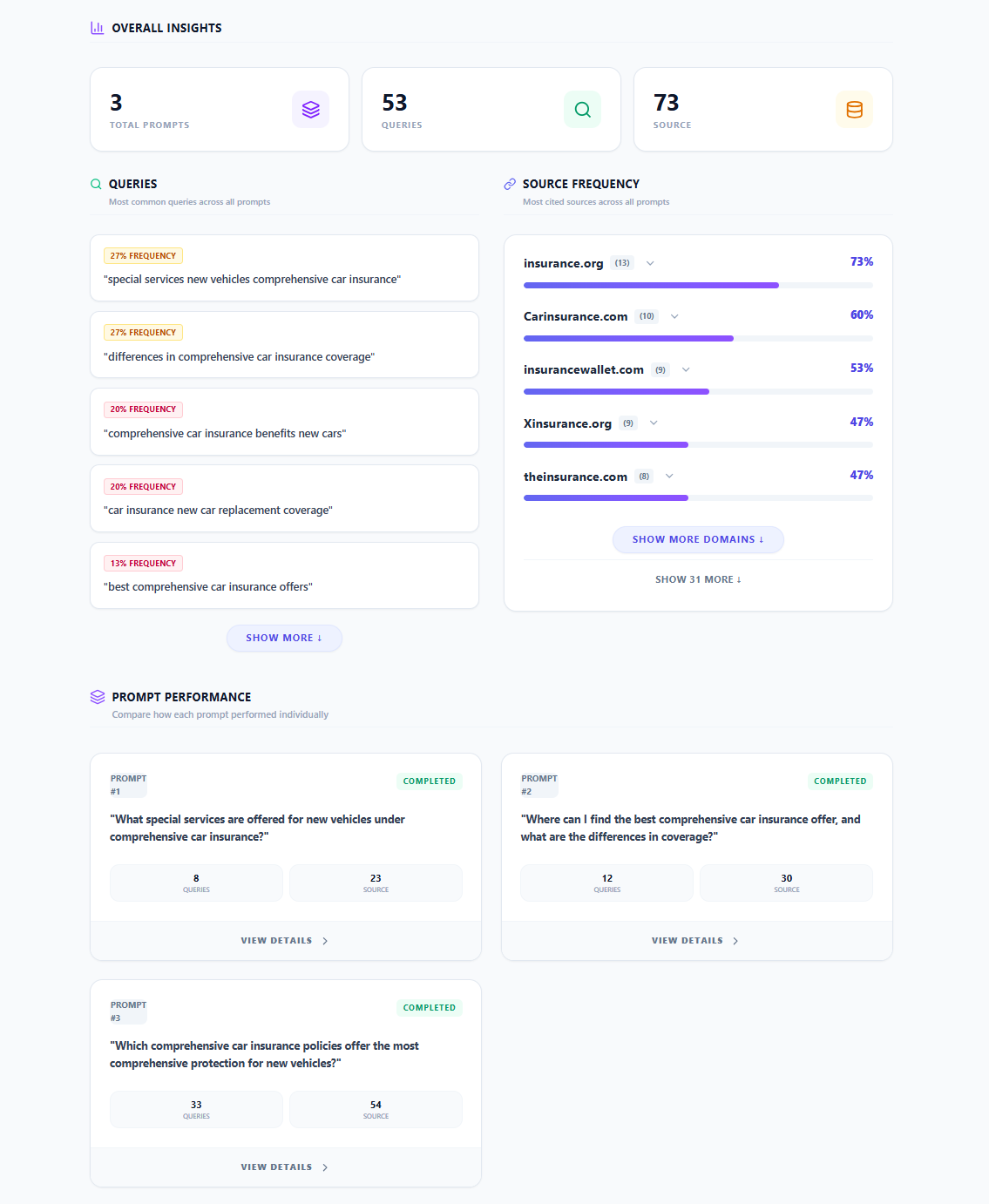 Prompt cluster overall results — Gemini: executed queries and citation sources
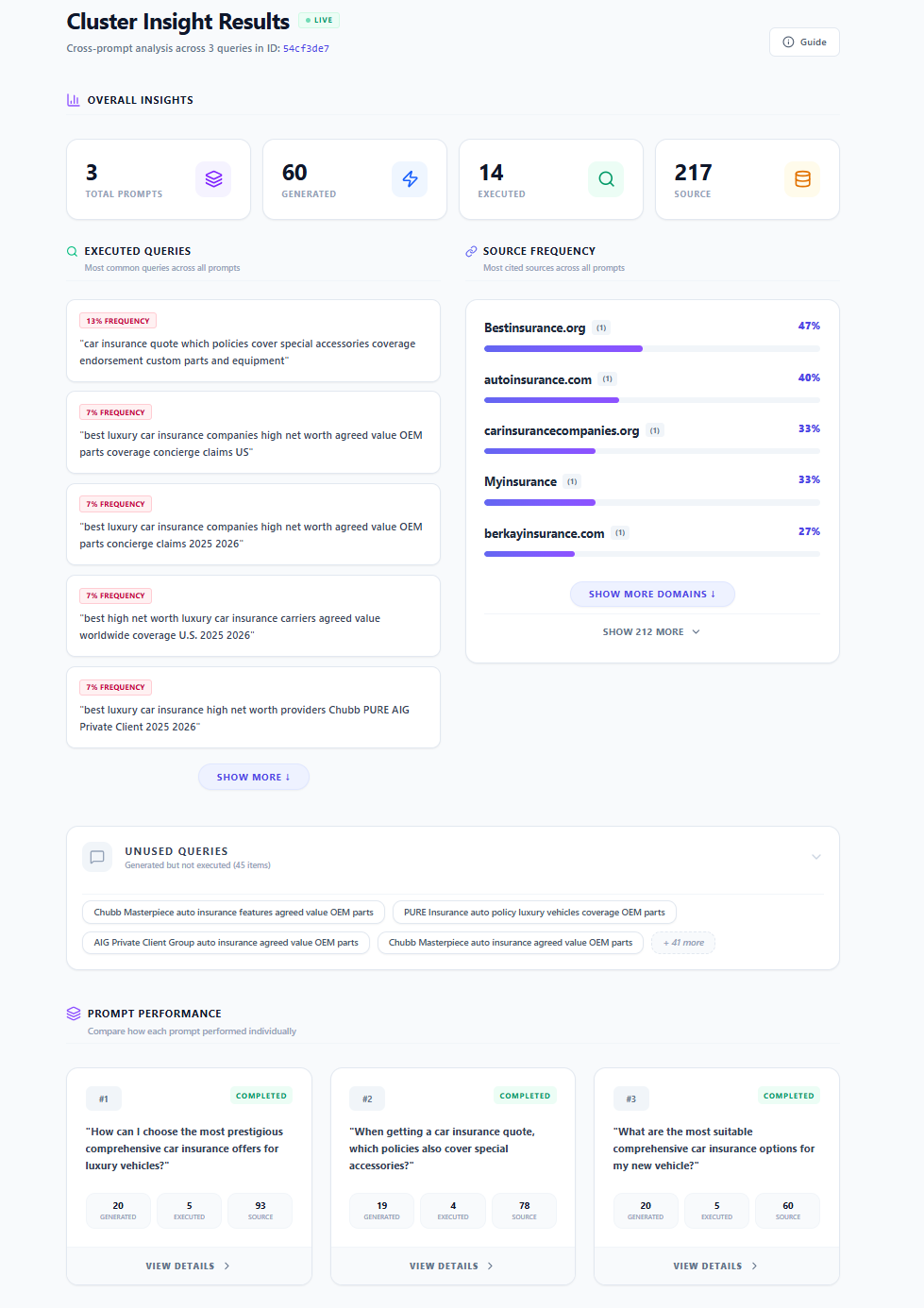 Prompt cluster overall results — ChatGPT: generated, executed, and unused queries
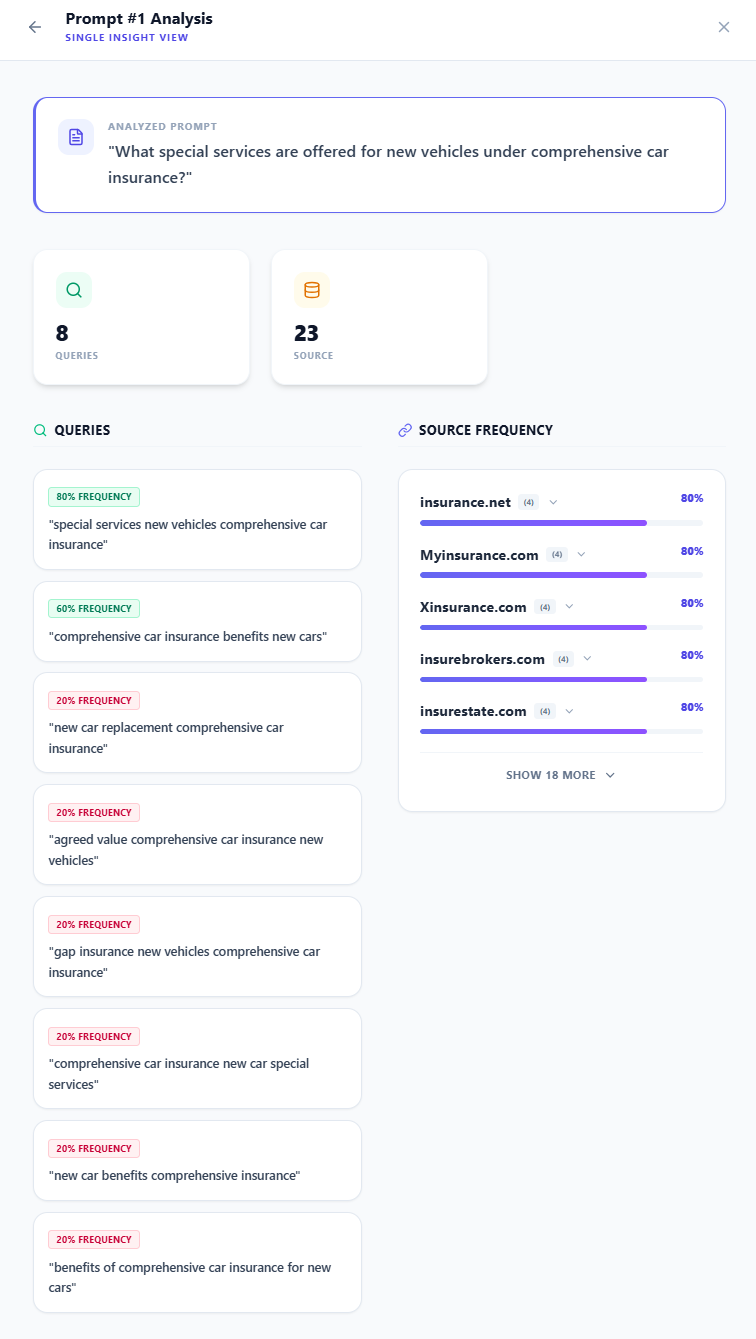 Prompt-level single insight view: query details and source frequency
ChatGPT vs Gemini: What's Different?
What is the difference between ChatGPT and Gemini query analysis?
The two models handle search queries differently — and CiteVista reflects that distinction accurately.
With ChatGPT, CiteVista can show both the queries the model generated and the subset it chose to execute. This means you can see the full scope of AI's search intent, including queries that were considered but not run — shown as Unused Queries. One important note: ChatGPT may find a source during its search but choose not to cite it in the final response. This means the sources shown in ChatGPT analysis reflect pages the model retrieved — not necessarily pages it cited.
With Gemini, only the executed queries are available through the API, so the Unused Queries section is not shown. However, the sources shown in Gemini analysis are the pages Gemini actually cited in its response — making source frequency a direct measure of citation behavior for Gemini.
How We Measure
AI models are probabilistic — they don't generate the same queries or pull the same sources every time. CiteVista runs each prompt multiple times and calculates the frequency of each query and source across all simulations. Results are shown as probability scores, giving you a reliable picture of AI search behavior rather than a single-run snapshot.